Descriere YEO:
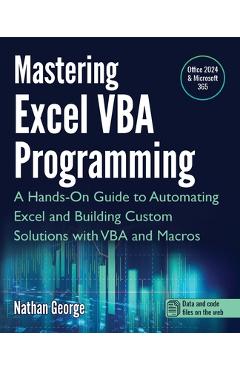
Pe YEO găsești Mastering Excel VBA Programming: A de la Nathan George, în categoria Computers.
Indiferent de nevoile tale, Mastering Excel VBA Programming: A Hands-On Guide to Automating Excel and Building Custom Solutions with VBA and Macros - Nathan George din categoria Computers îți poate aduce un echilibru perfect între calitate și preț, cu avantaje practice și moderne.
Preț: 198.34 Lei
Caracteristicile produsului Mastering Excel VBA Programming: A
- Brand: Nathan George
- Categoria: Computers
- Magazin: libris.ro
- Ultima actualizare: 22-04-2026 00:26:07
Comandă Mastering Excel VBA Programming: A Online, Simplu și Rapid
Prin intermediul platformei YEO, poți comanda Mastering Excel VBA Programming: A de la libris.ro rapid și în siguranță. Bucură-te de o experiență de cumpărături online optimizată și descoperă cele mai bune oferte actualizate constant.
Descriere magazin:
nLeverage the full power of
Excel with VBAn nn nThis guide will provide you
with all the information you need to automate any task in
Excel and save time and effort. Learn how to extend
Excel\'s functionality
with VBA to create solutions not possible with the standard features.n nn nMastering Excel VBA
Programming takes you from beginner to expert in Excel VBA. This book starts with the basics, so you don\'t need prior programming experience to start learning how to create solutions with Excel VBA. If you already have some experience with this popular application, this book will enhance your knowledge and experience.n nn nPractical examples for hands-on learningn nn nMastering Excel VBA
Programming is a practical guide, and it comes with several practice labs and downloadable solution files that enable you to follow the examples in the book hands-on. Screenshots illustrate the concepts, features, and tasks covered.n nn nThis book covers Excel 2024 and the latest version of Excel for Microsoft 365 (2025 update).n nn nWith this book, you will: n n- Quickly use Excel macros to automate repetitive tasks. n- Master VBA fundamentals including variables, arrays, decision structures, and loops. n- Use debugging tools to eliminate even the most difficult-to-find errors. n- Learn efficient techniques for handling unexpected errors and providing users with clear custom messages. n- Understand the Excel objects hierarchy and how to access and use Excel objects in code. n- Programmatically create and manipulate workbooks and worksheets. n- Use the Range object to access worksheet cells and ranges to work with data and worksheet formulas. n- Create sophisticated custom dialog boxes and data entry forms with UserForms. n- Access and use external data from Microsoft Access and SQL Server with ActiveX Data Objects (ADO). n- Programmatically generate charts and pivot tables for visualizations and summarizing large sets of data for presentations and analysis. n- Create User-Defined Functions (UDFs) for custom calculations. n- Convert your VBA application to an Excel Add-in to deploy to users.
 libris.ro