Descriere YEO:
Windows 11 User Guide for - Disponibil la libris.ro
Pe YEO găsești Windows 11 User Guide for de la Nora Easybyte, în categoria Computers.
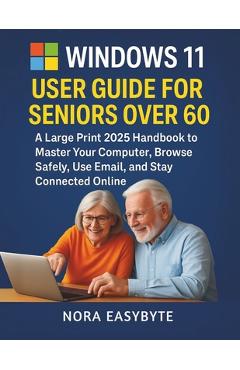
Indiferent de nevoile tale, Windows 11 User Guide for Seniors Over 60: A Large Print 2025 Handbook to Master Your Computer, Browse Safely, Use Email, and Stay Connected Online - Nora Easybyte din categoria Computers îți poate aduce un echilibru perfect între calitate și preț, cu avantaje practice și moderne.
Preț: 118.5 Lei
Caracteristicile produsului Windows 11 User Guide for
- Brand: Nora Easybyte
- Categoria: Computers
- Magazin: libris.ro
- Ultima actualizare: 02-07-2026 01:12:41
Comandă Windows 11 User Guide for Online, Simplu și Rapid
Prin intermediul platformei YEO, poți comanda Windows 11 User Guide for de la libris.ro rapid și în siguranță. Bucură-te de o experiență de cumpărături online optimizată și descoperă cele mai bune oferte actualizate constant.
Descriere magazin:
This book is for educational purposes only, designed to help seniors over 60 learn
Windows 11. It is not affiliated with, endorsed by, or sponsored by Microsoft Corporation.
Windows 11 and related trademarks are the property of Microsoft Corporation. The author is not responsible for any errors, omissions, or outcomes resulting from the use of this guide. nAre you over 60 and ready to conquer your
Windows 11 computer with confidence? Unlock the joy of technology with WINDOWS 11 USER GUIDE FOR SENIORS OVER 60: A
Large Print 2025 Handbook to
Master Your Computer,
Browse Safely, Use
Email, and
Stay Connected Online-your friendly, easy-to-read companion designed just for you! n nThis comprehensive user guide transforms the world of Windows 11 into a welcoming adventure, tailored specifically for seniors. With large print and clear, jargon-free instructions, it walks you through every step, from turning on your computer to video-calling grandkids or organizing cherished photos. Discover how to browse the internet safely, send emails, manage files, and enjoy hobbies like reading eBooks or playing Solitaire. Each chapter builds your skills with relatable examples-like emailing a recipe or setting up a family slideshow-making technology feel as comfortable as a favorite armchair. n nImagine staying connected with loved ones, exploring new interests, and mastering your computer without frustration. This
2025 handbook empowers you with senior-friendly features, including accessibility tips (like enlarging text or using voice typing), safety checklists to avoid scams, and keyboard shortcuts to save time. Whether you\'re a beginner or upgrading from an older Windows version, the book\'s 12 chapters, appendices, and index cover everything from setup to advanced tips, ensuring you feel supported and confident. Perfect for learning at your own pace, it\'s like having a patient friend by your side. n nDon\'t let technology intimidate you-grab your copy of WINDOWS 11 USER GUIDE FOR SENIORS OVER 60 today and start your digital journey! Available now in large print for easy reading, this essential guide is your key to mastering Windows 11 and staying connected in
2025. Order from your favorite bookstore or online retailer and take the first step toward tech confidence!n
 libris.ro